> For the complete documentation index, see [llms.txt](https://docs.metadium.com/en/llms.txt). Markdown versions of documentation pages are available by appending `.md` to page URLs; this page is available as [Markdown](https://docs.metadium.com/en/metadium-info/did.md).
# DID
### Metadium DID structure
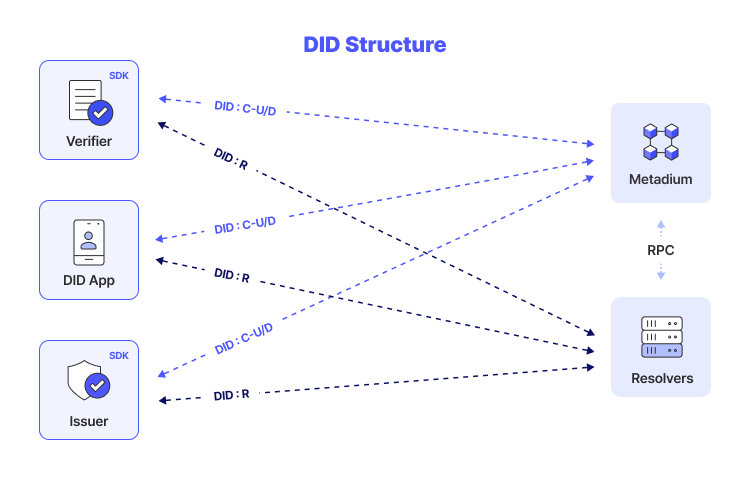
: DID is a crucial element in managing digital identities for individuals or organizations, facilitating CRUD operations based on DID and DID documents. Users or institutions can create a DID, read its associated information, and update or delete it as needed. These CRUD operations effectively manage digital identity.
DID Structure
### Metadium DID Process
: The use of DID for signing contracts and other transactions is executed and recorded on the blockchain through smart contracts, ensuring data integrity and prevention of tampering. Moreover, utilizing only simple DID without including personal information guarantees privacy protection and anonymity, thus preventing the leakage of personal data.
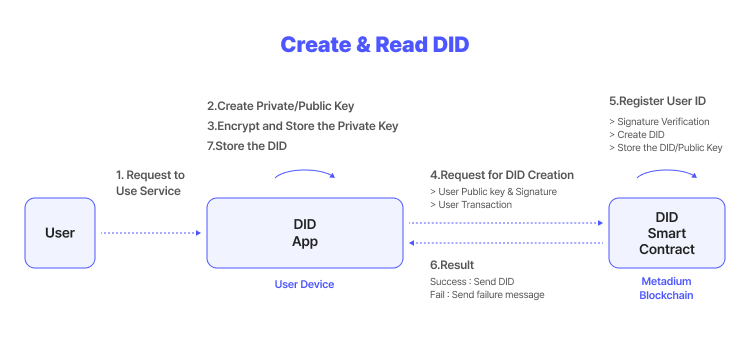
Users create private keys and public keys using the DID App and create DIDs by sending the public key and signature to the smart contract on the blockchain.
Create & Read DID
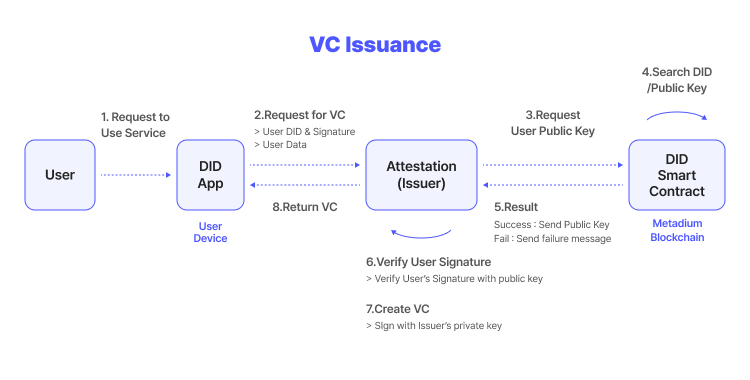
After issuing a DID, if you receive proof from the issuer that you are eligible for the user, you will receive a certificate signed with the issuer's private key.
VC Issuance
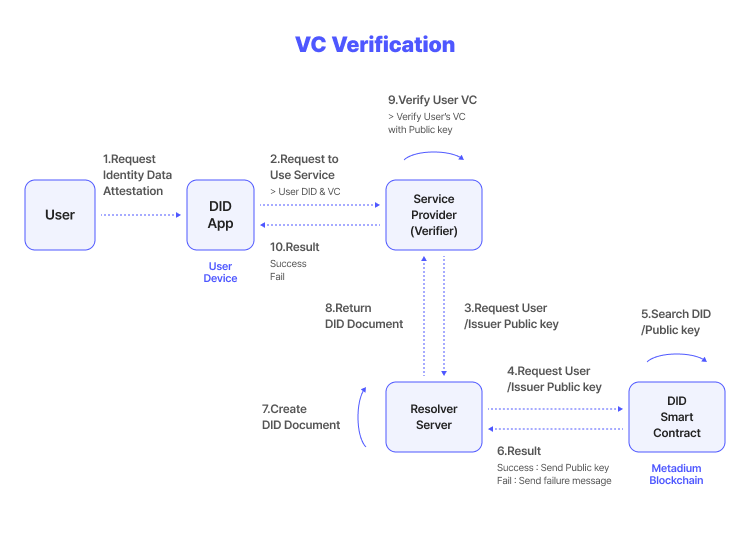
When using the service, the user sends the certificate to the Verifier, and the Verifier returns that the certificate has been signed by the Issuer utilizing the user’s public key and the Issuer’s registered in the blockchain.
VC Verification
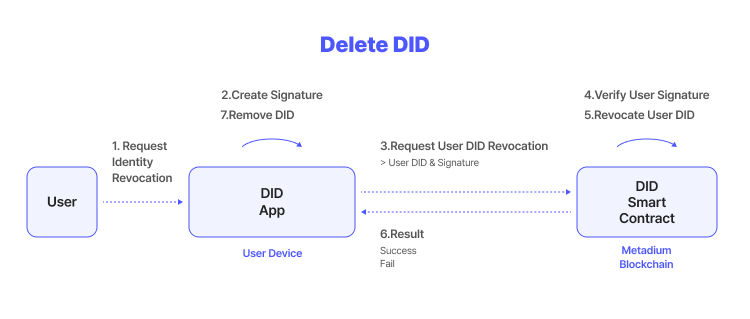
When requesting deletion, the user sends their DID and signature, and the DID smart contract deletes the DID after confirming the user's signature and returns the result.